Modern aviation training management

Your training sets the standard. Your tools should too.

Form-based training records on iPad and desktop, a full signature lifecycle from instructor to training manager, currency tracking that links every expiry to the report that set it, and analytics across every fleet — built for EASA, UK CAA and ICAO, without the spreadsheets.
LPC · Falcon 2000EX · EGHH → EGNV Signed
PROCApplication of Procedures
4 observable behaviours graded
4
COMCommunication
3 observable behaviours graded
2
WLMWorkload Management
3 observable behaviours graded
5
FPMFlight Path Management
4 observable behaviours graded
4
SAWSituational Awareness
3 observable behaviours graded
4
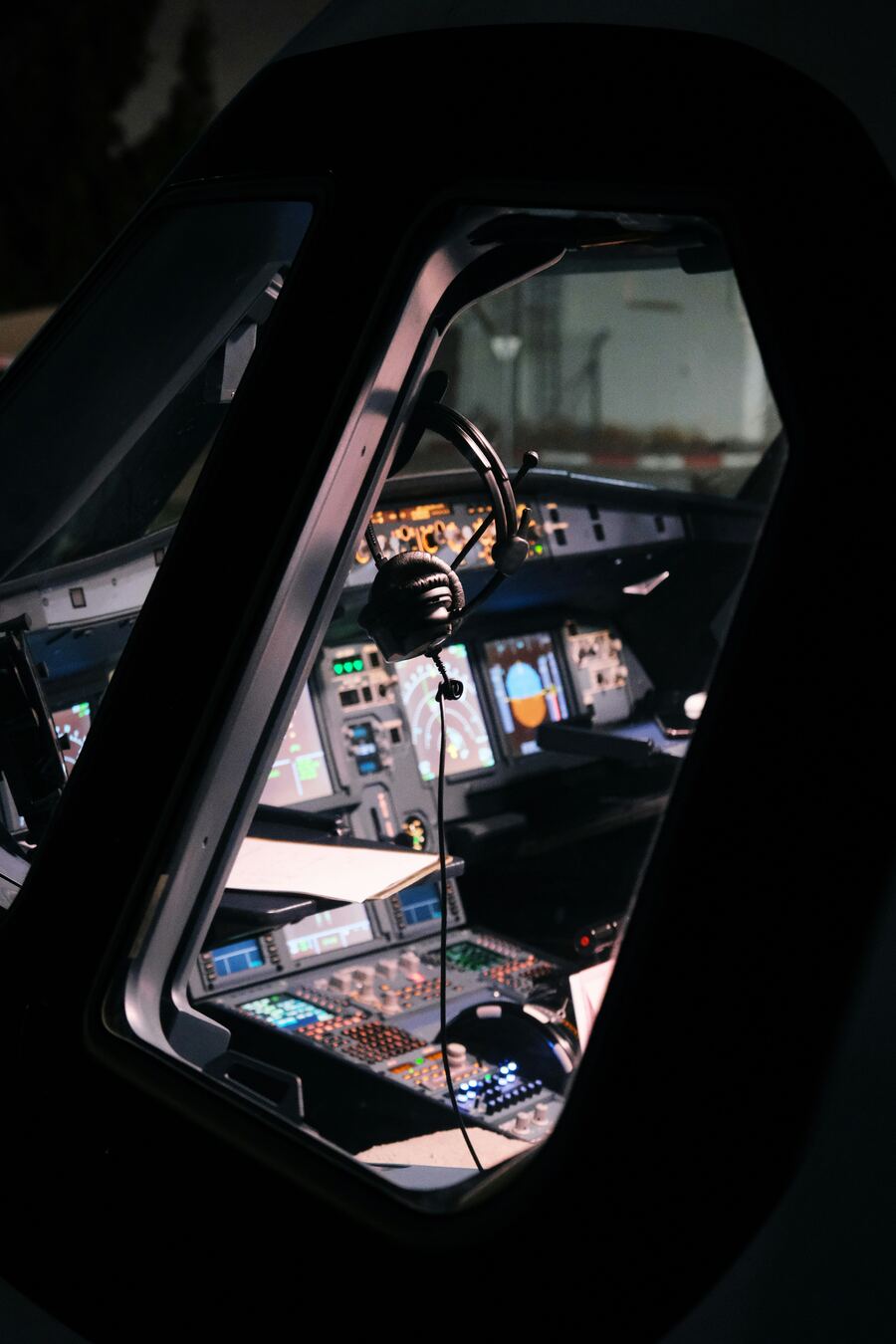
Airline flight deck at night seen through the cockpit window, headset hanging above the glareshield
Capture it where it happens — flight deck & sim
Less admin
Give instructors and managers their time back
Compliance built in
Regulator-aligned records and audit trail on every event, automatically
Better data
Evidence that makes future training safer

Why operators move to Waypoint

Built around your operation — not the other way round.

You run a tight training operation. But shared drives, spreadsheets and rigid legacy systems hold it back — and the big integrated suites are expensive, inflexible, and mostly functionality you will never touch. Waypoint is the focused, adaptable alternative: simple to implement, cost-effective, and shaped to the way you actually work.

Yours
Configured to your fleets, frameworks, document types and regulator profile.
Offline
Capture grades, remarks and forms in the cockpit or sim — signal or not.
Every role
Tailored views for instructors, examiners, training managers, heads of training and pilots.
Complete loop
From scheduling the event to the training manager's countersignature — one system.

Platform

One home for your whole training department.

From the right-hand seat to the postholder preparing for a regulator audit, everyone works from the same record. Instructor and pilot iPad apps capture the event; a desktop dashboard gives training managers oversight, sign-off and analytics. No more binders, shared drives or chasing the latest version of a report by email.
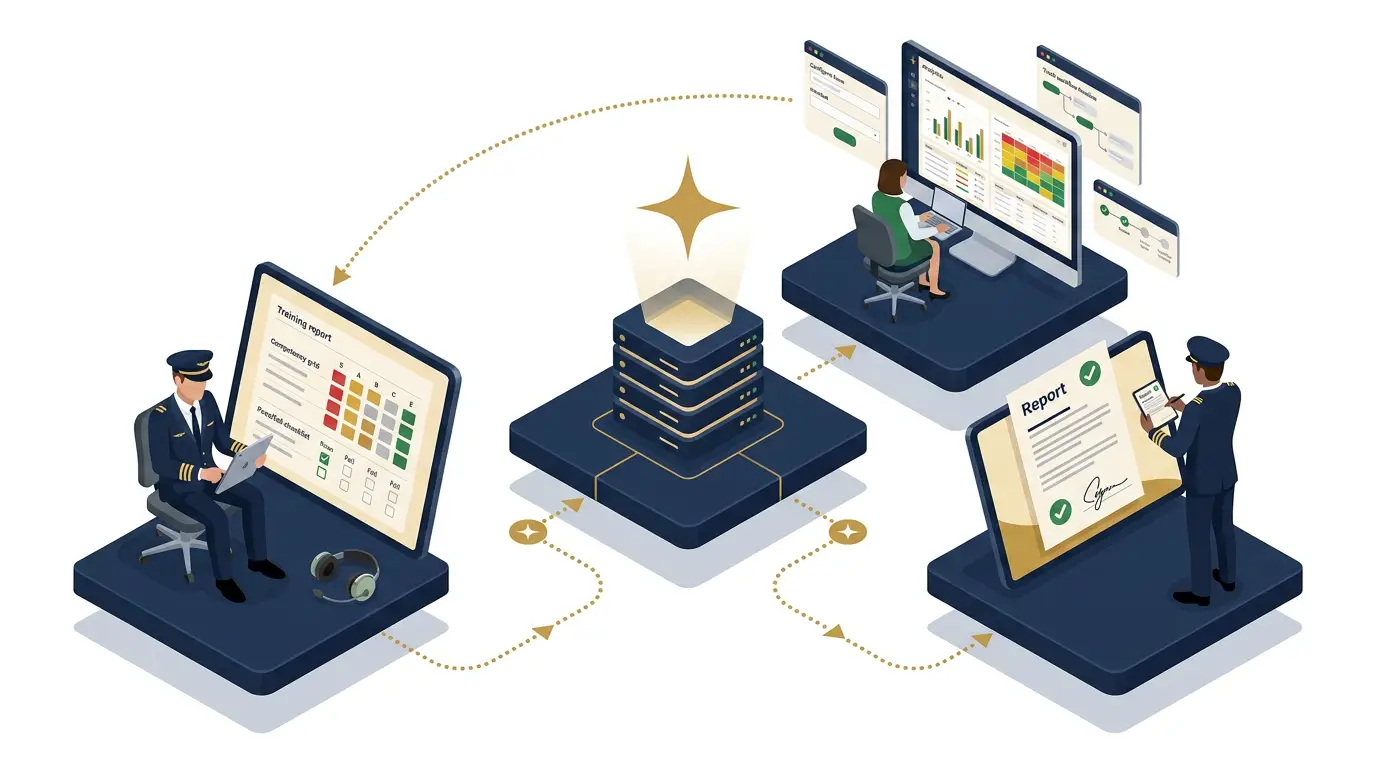
Isometric illustration of the Waypoint training cycle: a training manager at a desktop dashboard, an instructor grading a training report on iPad, and a pilot reviewing a signed report — all connected through one central platform.
01 · Training manager dashboard

Manage everything

Plan events, assign crew, oversee every report and sign off — with analytics across the whole operation.

02 · Instructor iPad app

Record the event

Grade training and check events in the cockpit or sim — online or off — and submit for review in minutes.

03 · Pilot app

See your performance

Pilots read their signed reports and track their own competencies and currency — no chasing paperwork.

One record, full circle — every signature and insight flows straight back to the training manager.

How it works

From event to signature, one clear workflow.

Every report follows the same path and builds its own evidence along the way. No parallel email threads. No hunting for the final version on a shared drive.

01 · Plan

Schedule the event

Set up any check or training event from the calendar, assign the crew and simulator. Role and regulator rules keep the right people on the right events automatically.

02 · Capture

Fill the form on iPad or desktop

Instructors complete a structured training form — grades against competencies and observable behaviours, phase narratives, check items — in the cockpit or sim, online or off. Nothing is lost, and nothing waits for a signal.

03 · Review & sign

A clear signature chain

Built-in validation surfaces anything missing before submission. The pilot acknowledges, then the training manager countersigns — each step timestamped in an immutable audit log.

04 · Analyse

Evidence that feeds the next cycle

Every countersigned report updates currency, contributes to competency analytics, and feeds the per-pilot trends that training managers and heads of training use to plan future programmes.

Desktop dashboard

Give your training managers the whole picture.

Plan events, oversee every report from draft to countersignature, manage pilot records, and see how the operation is really performing — all from one desktop dashboard configured to your frameworks, regulator and brand.

  • ReportsEvery training record, every status — draft, submitted, acknowledged, countersigned — in one place
  • PeopleFull pilot profiles with licence and medical documents, currency history linked to source reports, and per-pilot competency trends
  • EventsMonth-view calendar for scheduling checks, training events and simulator sessions
  • ConfigManage users, fleets, grading policies and competency frameworks — including publishing your own framework drafts
  • EvidenceBranded, tamper-evident PDF exports with audit trail and hash chain on every countersigned report
Explore the dashboard →
Reports — Active
15 in progress · 4 pending review
M. Patel — LPC
FA20 · 2026-06-12
Review2
J. Chen — OPC
A320 · 2026-06-11
Signed4
S. Kowalski — ISC
B737 · 2026-06-10
Draft5
R. Nakamura — Recurrent
A320 · 2026-06-09
Signed4

Instructor & pilot iPad app

Designed for the cockpit, not the desk.

The Waypoint app keeps working when the network does not. Fill a training form, view your schedule, track your currency and read your own training records — all on iPad or iPhone, online or off.

  • Offline-firstComplete training forms in the cockpit or sim with no signal — grades, check items and remarks sync automatically when you reconnect
  • CurrencyPilots see their OPC, LPC and Line Check status at a glance, each linked to the report that set it
  • ScheduleUpcoming events and a month calendar — so pilots and instructors always know what is next
  • InsightsPer-pilot competency trends and fleet assurance views for instructors and training managers
  • VoiceDictate remarks from the cockpit using on-device speech recognition — no signal, no typing
  • AI debriefRecord the debrief audio and the platform transcribes, attributes speakers and structures it into a draft narrative
  • SecureFace ID and Touch ID unlock — training records stay protected on shared crew devices
Get the iPad app →
LPC — Falcon 2000EX
EGHH → EGNV · Capt. M. Patel
Draft
Application of Procedures
PROC · 4 of 4 OBs graded
4
Communication
COM · 3 of 3 OBs graded
2
Workload Management
WLM · 3 of 3 OBs graded
5
Situational Awareness
SAW · 3 of 4 OBs graded
3
Voice remarks — AI narrating… ● Saved

What it changes

From administrative burden to operational advantage.

01

Compliance is built in — not bolted on

The regulator competency frameworks, structured records and tamper-evident audit trail are part of how Waypoint works on every event. There is no separate compliance step, no end-of-year scramble — it is simply there by default.

02

Form-based records, not free-form documents

Training managers design form templates with typed fields — competency grids, check items, text, signatures — and instructors fill them in. No blank pages, no inconsistent formats. Every completed form is a structured record the moment it is submitted.

03

A real signature chain, not an email thread

Every report follows a defined lifecycle: instructor submits, pilot acknowledges, training manager countersigns. Each step is timestamped in an immutable, hash-chained audit log. Amendments are tracked with a reason, and every version is preserved.

04

Currency that stays in sync, automatically

OPC, LPC and Line Check expiries update the moment a training manager countersigns. The system applies EASA carry-forward rules correctly and links each currency entry back to the report that set it — so the audit trail is never a question.

05

Pilot records and document management, in one place

Training managers maintain full pilot profiles — identity, licence, medical and training certificates — alongside currency history and competency trends. Pilots see their own records. Documents are stored securely and linked to the person, not a shared drive.

06

Grade to observable behaviours, not just competencies

Every competency is broken into its observable behaviours — instructors assess the specific things they actually see, and the platform rolls up the evidence into a complete CBTA record. The "Help me grade" tool uses your OB evidence to suggest the right competency grade.

07

Dictate, record, let AI draft the narrative

Instructors dictate remarks with on-device voice recognition in the cockpit — no signal needed. Record a debrief and the platform transcribes it, attributes speakers to Instructor or Pilot, and structures it into a professional training narrative, ready to review rather than write from scratch.

08

Grading policies that enforce your standards automatically

Define the criteria your organisation requires before a report can be submitted — minimum grades, mandatory comments, required observable behaviours — and let the platform surface anything missing before it becomes a compliance gap.

09

Turn training data into evidence — for every pilot

Fleet-wide competency heatmaps, instructor drift z-scores, 7/30/60-day currency forecasts, and per-pilot trend sparklines showing how each competency moves over time. Heads of training get an assurer's view across every fleet and examiner, so decisions are backed by data, not instinct.

Analytics

Training data that actually improves training.

Most systems stop at the report. Waypoint turns every graded event into insight your training department can act on — so you can see where to focus, evidence the decision, and make each programme safer than the last.

Heatmap
Fleet competency strengths and weaknesses, at a glance across every fleet
Drift
Instructor z-scores that flag graders marking harder or softer than their peers
Currency
7, 30 and 60-day expiry forecast — planned, not reactive
Per-pilot
Competency trend sparklines per pilot, with examiner comparison for heads of training
Safety
Connect training to real operational data

Standards

Built for the regulators you fly under.

Per-tenant regulator profiles, audit trails on every state transition, tamper-evident exports.

EASA
Part-FCL · Part-ORO

EBT-aligned competency frameworks with operator-specific overlays.

UK CAA
CAP 804 · CAP 1214

AOC and ATO certificate handling, postholder-aware role gates.

ICAO
Doc 9995 · Doc 9868

Generic ICAO competency set ships out of the box for new operators.

FAQ

CBTA and EBT, answered.

What small and medium operators ask before moving training records off spreadsheets.

What is CBTA (Competency-Based Training and Assessment)?
CBTA is a regulator-recognised approach in which pilots are assessed against defined competencies — such as application of procedures, communication and workload management — rather than only pass or fail on individual manoeuvres. Waypoint ships EASA, UK CAA and ICAO competency frameworks out of the box and records every assessment against them.
What is EBT (Evidence-Based Training)?
EBT focuses training on the competencies that matter most, using evidence from operations and assessments to target real risks instead of repeating a fixed script. Waypoint links competency grades to operational data so training managers can see exactly where to focus.
Does Waypoint support both CBTA and EBT?
Yes. Waypoint is built around competency-based assessment and evidence-based training, with frameworks for LPC, OPC, ISC, type rating, line check and recurrent training included out of the box.
Is Waypoint suitable for small and medium-sized operators?
Yes. Waypoint is multi-tenant and white-label, the generic ICAO competency set ships ready to use, and onboarding is designed to be quick and cost-effective — so smaller ATOs and AOC holders can adopt it without a large IT project.
Which regulators and standards does Waypoint support?
EASA (Part-FCL and Part-ORO), UK CAA (CAP 804 and CAP 1214) and ICAO (Doc 9995 and Doc 9868), with per-tenant regulator profiles and operator-specific overlays.
Does Waypoint work offline?
Yes. The iPad app is offline-first: instructors can fill training forms, grade competencies, add check-item remarks and dictate voice notes in the cockpit or simulator with no signal. Everything syncs automatically when a connection returns, with conflict resolution if the same report has been edited elsewhere.
How does the report signature workflow work?
Every training record follows a defined lifecycle: the instructor submits the completed form, the pilot acknowledges their own assessment, and the training manager countersigns. Each step is automatically timestamped in an immutable, hash-chained audit log. If a correction is needed, an amendment can be raised with a reason — the original version is preserved. Signatures are collected automatically at the right stage, not chased by email.
Can Waypoint store pilot documents — licences, medicals, training certificates?
Yes. Each pilot profile has a documents section where training managers can upload and manage licences, medicals, training certificates and other files. Documents are stored securely and are accessible to the individual pilot and authorised managers — not on a shared drive. Currency records link directly to the training report that set the expiry, so the trail is complete.
How secure and compliant is the data?
Every state transition is recorded in an immutable, hash-chained audit log. Report exports are tamper-evident and include a full audit trail. The platform is GDPR-compliant — with a published Data Processing Agreement, subprocessor list and security overview. Data is strictly isolated per organisation; no cross-tenant access is possible by design.
How much does Waypoint cost and how long does it take to implement?
Pricing is a simple annual subscription: a base platform fee plus a per-user rate for pilots, instructors and training managers, plus VAT. The per-pilot rate falls as your fleet grows, and there are discounts for two- and three-year terms. Use the pricing calculator for an indicative figure, then book a demo to confirm your quote. Most demos take about thirty minutes, and because the regulator frameworks ship out of the box, implementation is fast.

Get in touch

See what modern training management looks like.

Walk through your fleets, your frameworks and the day-to-day admin you would like to lose — with a team that knows aviation training. Most demos take about thirty minutes.

Or write to us at hello@waypointtms.com

We aim to respond within one business day. Your details are used only to respond to your enquiry — see our Privacy Policy.

Thanks — we'll be in touch.

We aim to respond within one business day. In the meantime, feel free to explore the platform.